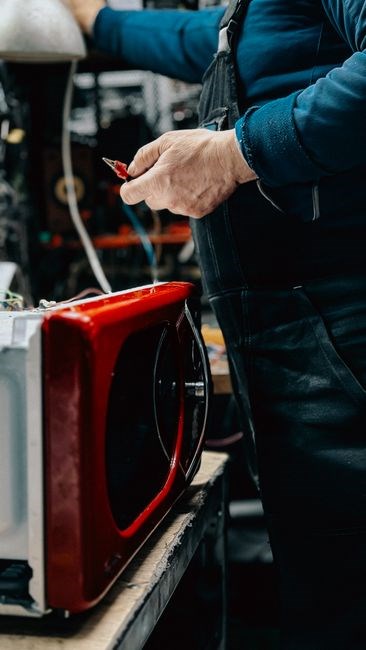
Welcome to the Magic Chef Microwave User Manual. This guide covers safety, features, controls, cooking tips, maintenance, troubleshooting, and warranty. Follow each section to use your appliance safely and efficient.
Follow the quick‑start guide for setup, then read safety instructions carefully!!!

Safety Precautions
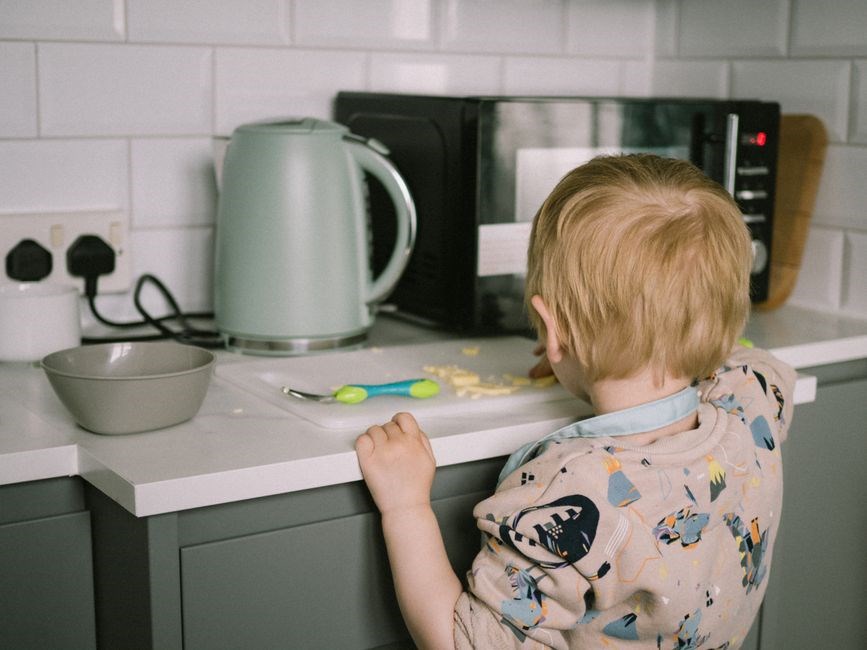
Before using your Magic Chef microwave, read these essential safety guidelines. Keep the unit on a stable, level surface away from walls, cabinets, or any objects that could obstruct ventilation. Ensure the door seals properly; a damaged seal can cause overheating. Do not operate the microwave with the door open or partially closed. Always use microwave‑safe containers and avoid metal utensils or aluminum foil, which can spark and damage the appliance. Keep the interior clean; food spills can ignite and damage the magnetron. Do not exceed the maximum power rating for your cookware. Never place a sealed container inside the microwave; steam buildup can cause the container to rupture. Keep children and pets away from the unit while it is running. If the microwave stops working or emits a strange odor, turn it off immediately and unplug it. Do not attempt to repair the appliance yourself; contact authorized service personnel. Store the manual in a dry place for future reference. Follow local electrical codes and use a grounded outlet. Avoid using extension cords or power strips that could overload the circuit. Keep the microwave away from water sources to prevent electrical hazards. If you notice any loose parts or unusual noises, stop using the appliance and seek professional assistance. By following these precautions, you can enjoy safe and efficient cooking with your Magic Chef microwave. Always keep the microwave’s power cord and plug in good condition to avoid hazards daily .
Model Features Overview
Explore the Magic Chef MCD760W and MCO153UW models. Features include power levels, defrost, sensor cooking, child lock, timer, and energy‑saving mode. Each model offers intuitive controls, clear display, and versatile cooking options for everyday convenience.!!!
MCD760W Features
Magic Chef MCD760W delivers robust performance with 1200W power, 1.5 cu. ft. capacity, and a spacious interior. The microwave offers 10 power levels, from 10% to 100%, allowing precise control over heating intensity. A dedicated defrost setting automatically calculates time based on weight, ensuring even thawing. The sensor cooking function monitors steam and adjusts time and power for optimal results. A child lock feature secures the controls, preventing accidental operation. The digital display shows time, power, and cooking mode, while an LED indicator alerts you when the cycle is complete. A 30‑minute timer allows you to set cooking time up to 30 minutes. The appliance includes a built‑in grill element for browning and crisping; A convenient “Start/Stop” button initiates or pauses the cycle. The appliance also features an energy‑saving mode, reducing standby power consumption. The stainless steel interior resists stains and odors, and the removable turntable ensures even heating. The appliance is designed with safety in mind, including a door lock that prevents operation when open. The MCD760W’s compact footprint fits easily in kitchens, dorm rooms, or office spaces. With its user‑friendly interface and versatile cooking options, this microwave meets everyday needs while delivering reliable performance. Enjoy cooking!!
MCO153UW Features
Magic Chef’s MCO153UW microwave delivers 1200 W power in a 1.5‑cubic‑foot interior, giving generous space for family meals. The unit offers 10 adjustable power levels, from 10 % to 100 %, for precise heating. A dedicated defrost mode calculates time by weight, while the sensor‑cooking function monitors steam and adjusts power for even results. The built‑in grill element browns food quickly, and a child‑lock secures controls. A digital display shows time, power, and mode, and an LED indicator signals cycle completion. The 30‑minute timer sets cooking time up to 30 minutes; the energy‑saving standby mode reduces idle consumption. Stainless‑steel interior resists stains and odors; the removable turntable ensures uniform heating. Safety is paramount: a door lock prevents operation when open, and the appliance meets UL safety standards. Its compact footprint fits kitchens, dorms, or offices, while the user‑friendly interface and versatile cooking options make meals simple and reliable.!!!
Power Level knob fine‑tunes heat intensity. The Auto‑Cook feature reads food weight and selects optimal time and power. Keep Warm maintains temperature after cooking; Reheat quickly warms leftovers. Backlit buttons read in low light, and clear labels reduce confusion. Sleek design and neutral color blend with décor; the removable turntable is dishwasher safe. Built‑in safety interlock shuts power if the door opens mid‑cycle. Warranty covers parts and labor for one year giving confidence in durability!!!

Control Panel Functions
Power button starts or stops the microwave. Power level knob selects intensity. Timer keypad sets minutes and seconds. Start button initiates cooking. Child lock secures controls. Display shows time, power, and mode. Grill and defrost buttons toggle features.!!!
Power Levels & Timer
The Power Levels & Timer section explains how to adjust cooking intensity and duration. Use the power level dial or keypad to select from 1 to 10, where 1 is the lowest power and 10 the highest. Enter the desired minutes, press the minute button, then the second button, and press Start. The display shows the countdown. You can pause or stop the cycle at any time by pressing the Stop button. After the timer ends, the microwave will automatically shut off. For defrosting, select the Defrost mode, then set the timer based on weight. The microwave will adjust power accordingly. When using the grill function, set a lower power level to avoid burning. Always keep the door closed during operation. If the microwave stops prematurely, check for obstructions or a faulty door latch. The combination of precise power levels and timer settings ensures consistent results and prevents food from drying out or burning. Follow these guidelines for safe and efficient cooking. For advanced users, the microwave offers a ‘Quick Start’ feature that automatically sets a default power and time for common tasks like reheating a cup of coffee or melting butter quickly. Press the Quick button to view preset options. Use the keypad to input exact values. The timer is accurate to the second, and the display updates every second during cooking. The microwave enters standby mode, ready for the next command. The power level dial has tactile feedback, making it easy to select the desired setting without looking. Enjoy!

Cooking Guidelines
Use low power for delicate foods, high for browning. Preheat 2 minutes for casseroles. Stir midway for even heating. Cover dishes to retain moisture. Defrost by weight, then finish cooking. Avoid metal, use microwave-safe containers. Rotate trays for uniform results. Enjoy!!
Heating & Defrosting Tips
When heating, select the appropriate power level for the food type. For delicate items like eggs or dairy, use 30–50% power to prevent overcooking. For thicker foods such as casseroles or pizza, start at 70–80% power, then finish at 100% if a crisp top is desired. Always cover dishes with a microwave‑safe lid or wrap to lock in moisture and avoid splatter. Rotate dishes halfway through the cycle to promote even heating and reduce hot spots. Use a turntable if available; if not, manually turn the dish. For frozen meals, use the defrost setting or set the power to 30% and add a few minutes of cooking time after defrosting. Check the food’s internal temperature with a thermometer to ensure it reaches at least 165°F (74°C) for safety. For large frozen items, cut them into smaller portions to ensure uniform thawing. Avoid using metal containers or foil, as they can spark. Use microwave‑safe glass, ceramic, or plastic containers. If the food is unevenly heated, pause the microwave, stir or rearrange, then resume. For reheating leftovers, place them in a shallow dish and heat in short bursts of 30–45 seconds, checking frequently. When defrosting, add a splash of water or broth to keep the food moist. For frozen vegetables, defrost at 30% power for 3–5 minutes, then finish cooking at 70% power for 2–3 minutes. Always keep the door closed during operation and keep the interior clean to prevent odors and contamination. Follow the manufacturer’s recommended cooking times for specific dishes, and adjust based on your microwave’s power rating. Remember to always consult the official manual for model‑specific instructions and safety guidelines. Enjoy safe, efficient cooking with these proven techniques!
Tip: For best results, preheat the microwave for 1 minute before placing food, especially for thick or dense items. This helps eliminate cold spots and ensures uniform heating. Also, always use a microwave‑safe plate or dish to avoid uneven heating and potential damage to the appliance.
When using the defrost function, set the power level to 30% and add 1–2 minutes of cooking time after defrosting to finish cooking. For frozen pizza, defrost at 30% for 3 minutes, then cook at 70% for 2 minutes to crisp the crust. This method prevents soggy edges.
Maintenance & Cleaning
Regular cleaning keeps your Magic Chef microwave safe and efficient. Turn off and unplug the unit before cleaning. Remove the turntable and any detachable parts; wash them in warm, soapy water, rinse, and dry. Wipe the interior walls, ceiling, and floor with a damp cloth or sponge; avoid abrasive cleaners that can scratch the surface. For stubborn stains, use a mild baking‑soda paste (baking soda + water) and gently scrub. Never immerse the door seal or the control panel in water. Keep the door seal dry and free of food debris; wipe it with a soft cloth. Inspect the door seal regularly for cracks or tears; replace if damaged. Clean the exterior with a damp cloth; use a mild detergent if necessary. Do not use harsh chemicals or abrasive pads. For the turntable, if it has a silicone ring, wipe it with a damp cloth; if it has a plastic rim, use a soft brush. After cleaning, allow all parts to dry before reassembling. Check the ventilation slots for dust buildup; clean with a soft brush or vacuum attachment. If you notice any unusual odors, run a clean cycle with a cup of water and a few drops of lemon juice or vinegar to neutralize smells. Store the microwave in a dry place; avoid stacking heavy objects on top. Follow the manufacturer’s recommended cleaning frequency: at least once a month, more often if spills occur. Proper maintenance extends the appliance’s life and ensures safe operation.
Ok.
Troubleshooting
When the microwave fails to start, first check the power cord and outlet. Ensure the outlet is functioning by plugging another appliance. If the unit displays a lock symbol, the child‑lock feature is active; press the lock button twice to disable. For a “no power” error, verify that the main breaker is on and the microwave’s fuse is intact. If the turntable does not spin, remove any obstructions and clean the turntable support. A jammed turntable motor may require a professional reset. If the microwave emits a beeping alarm after a cycle, the door may not be fully closed; inspect the door latch and seal for damage. For error codes such as “E1” or “E2”, consult the manual’s error code table; common causes include a malfunctioning door sensor or a faulty magnetron. If the microwave heats unevenly, try rotating the food or using the turntable. If the appliance stops mid‑cycle, check for a tripped circuit breaker or a faulty door switch. Persistent issues should be addressed by a qualified technician. Regularly inspect the door seal and replace it if it shows signs of wear. Keep the interior clean to prevent dust buildup that can affect the magnetron. If the microwave displays a “reset” message, unplug the unit for 30 seconds, then plug it back in. For any unresolved problems, contact the service center with your model number and serial number. Always refer to the safety precautions before attempting any repairs. Following these steps will help resolve most common issues and extend the appliance’s lifespan.

Warranty & Service
Magic Chef appliances are backed by a warranty that protects against manufacturing defects and components. For the MCD760W and MCO153UW models, the warranty period is one year from the date of purchase, parts and labor. If your microwave encounters a defect within this period, contact your authorized retailer or the Magic Chef service center to schedule a repair or replacement. All warranty claims must be accompanied by the original receipt and a valid serial number, which can be found on the appliance’s label. In addition to the warranty, Magic Chef offers an extended service plan that can be purchased at the time of sale or within 30 days of delivery. This plan extends coverage to three years and includes priority service, a hotline, and a inspection. For customers, warranty terms may vary by region; please consult the local service provider. The warranty does not cover damage caused by misuse, accidental spills, or unauthorized modifications. Users should also be aware that wear and tear, such as scratches or door seals, are not covered. To maintain warranty eligibility, keep the microwave in a dry area avoid exposing it temperatures the sunlight. If you experience any issues, use the troubleshooting guide first; if the problem persists, reach out to customer support via phone, email, or the online portal. Documentation of all service interactions should be retained for future reference. By adhering to these guidelines, you can ensure your Magic Chef microwave remains reliable and protected for years to come.

Download the Manual
Magic Chef offers the user manual for the MCD760W and MCO153UW microwave models in PDF format. The manual contains diagrams, safety warnings, operating instructions, and troubleshooting tips. To download, visit the Magic Chef support site, find your model, and click the PDF link. The file is about 2–3 MB, so it downloads quickly on most connections. For a printed copy, print the PDF from any standard printer. If the download fails, clear your browser cache or try a different browser. The manual is also available on sites like Manualzz, ManualsBase, and the Internet Archive, but the official site ensures the latest version. The PDF works with Adobe Reader, Foxit Reader, and most mobile viewers. If you need another language, select it from the drop‑down menu on the download page. Support team can email a copy on request. The manual is organized into sections covering safety, operation, maintenance, and troubleshooting. Each section includes step‑by‑step instructions and diagrams to help you use your microwave safely and efficiently. Save the PDF locally for future reference. If you update the firmware, download the newest manual from the support page. The manual is free and can be downloaded by anyone with internet access. The manual also includes a guide, a list of power levels, and a troubleshooting checklist. Users can refer to the FAQ section for common questions. The manual is updated annually to reflect new features and safety updates. Contact support or visit the forum online. Enjoy!!!.
Contact Support
For assistance with your Magic Chef microwave, reach out to our dedicated support team. Call our toll‑free number at 1‑800‑MAGIC‑1 (1‑800‑646‑4231) Monday through Friday, 8 a.m. to 8 p.m. local time. For international callers, dial +1‑800‑MAGIC‑1 and follow the prompts. If you prefer email, send detailed inquiries to support@magicchef.com; include your model number, serial number, and a brief description of the issue. Our team responds within 24 hours on business days. Live chat is available on the official website from 9 a.m. to 5 p.m. EST, Monday–Friday. For warranty claims, visit the Warranty Claims portal, fill out the form, and attach a copy of your purchase receipt. Technical documentation, firmware updates, and troubleshooting guides are also available in the Downloads section. If you need a local service technician, use the Service Locator tool on our site; enter your ZIP code, and the nearest authorized service center will be listed. For parts replacement, contact Parts@magicchef.com with your order number. For media inquiries, press@magicchef.com is the correct address. All contact channels are monitored by our support staff, who are trained to resolve issues efficiently and courteously. We appreciate your business and are committed to ensuring your microwave operates safely and reliably. Thank you for choosing Magic Chef.
Your satisfaction is our priority. If you have any questions or need further assistance, please contact us anytime.Enjoy cooking